Sign in Start with your repo

What's New in Recce

Product updates, new features, and improvements.

Recce v1.45.0

Column-Level Lineage Loads Fast on Large Projects

Lineage pages on large dbt projects now load and stay responsive, and column-level lineage is available almost as soon as the instance comes up. That matters because teams with thousands of models used to hit a wall on the lineage page: a 30 MB initial lineage load, a slow first paint, and every drag or click in the CLL view compounded the cost.

đź§Ş In open beta. Turn it on by clicking Open Beta in Recce Cloud.

Under the hood, the initial lineage load now ships only the lineage skeleton, and detailed model data and metadata are fetched on-demand when you open a model. Our cloud environment adds end-to-end compression to further reduce the data payload and serves pre-computed column-level lineage directly, so it’s ready before the instance even finishes booting.


One Share Button From OSS to Cloud

There is now one clear path from an OSS session to a Cloud shared session, and a link sent to someone outside the org lands on a Request Access page instead of a blank 403.

The Cloud Share button now lives in the OSS nav bar by default. When a recipient outside the org clicks a shared link, they see the Request Access page; the admin gets an email, approves or denies from a review page, and the recipient lands on the session. Invited new users are auto-accepted into the org during signup so they land directly on the shared session without a second click.


PR comment with check findings linked to Recce Cloud check detail pages

Reviewers and PR review agents now get one click from a finding in a GitHub PR comment to the exact check detail page in Recce Cloud. Before this release, the check references the review agent produced were plain text, so confirming a finding meant switching tabs, opening Recce Cloud, and hunting for the right check. One more click between reading a finding and trusting it.

v1.45.0 ships deterministic deep links. The first bold title in each bullet becomes a clickable link to the corresponding Recce Cloud check page. On the MCP side, create_check now auto-approves successful runs the same way execute_preset_checks does, keeping the checklist in sync with the actual run outcome.
MCP Impact Analysis Verifies Downstream Data, Agent Skips Non-Data PRs

impact_analysis Tool Verifies Downstream Data Changes

Recce’s MCP server includes impact_analysis, a tool that identifies which models are affected by a PR. Previously it reported which models were downstream of a change, but couldn’t tell you whether their data actually differed. Agents had to guess which downstream models were worth investigating.

Now impact_analysis runs row-level comparison on downstream table models and reports whether each one has confirmed data changes, no changes, or needs manual verification. In eval testing, this lifted agent detection accuracy from 87% to 100% when paired with updated reviewer prompts.


Recce Agent Skips Non-Data PRs

PRs that don’t touch data models were still triggering full Recce analysis — producing reports about “schema changes” that existed before the PR. The Recce Agent now detects non-data PRs and skips the analysis call entirely. No wasted agent runs, no false-positive noise in PR reviews.


Axios Removed After Supply-Chain Compromise

The Axios v1.14.1 npm package was compromised with a RAT. Recce was never running the compromised version, but we removed the dependency entirely — both OSS and Cloud — replacing it with a thin native fetch wrapper. 67+ source files migrated across both repositories, zero Axios imports remain. One fewer supply-chain surface to worry about.

Track Every Recce Data Review Run with Checklist Status in Your PR

Track Every Recce Data Review Run Directly in Your PR

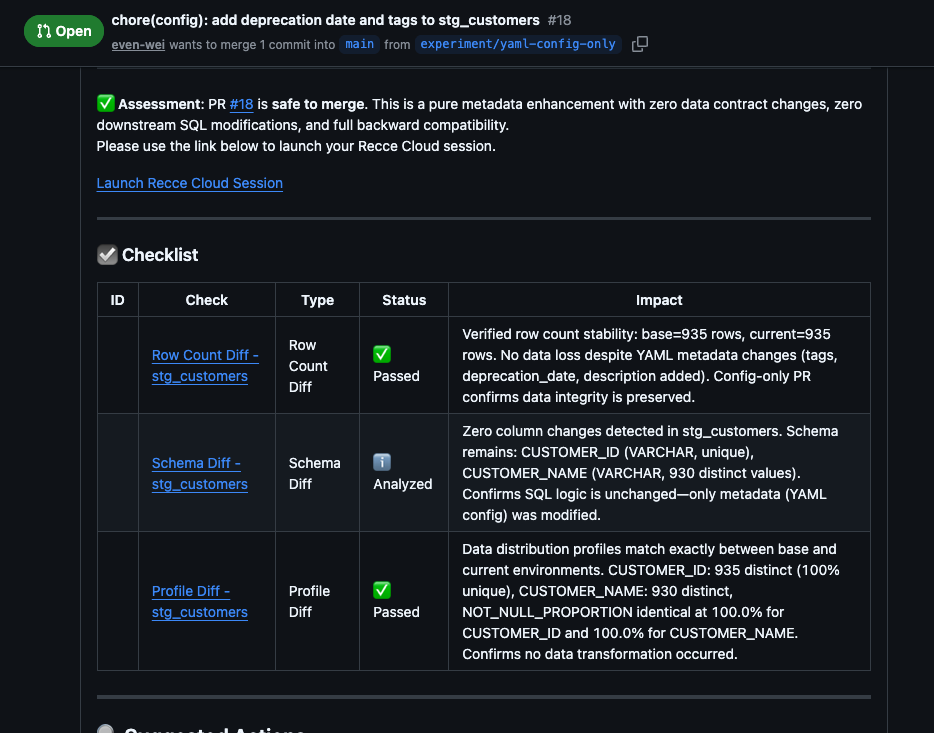
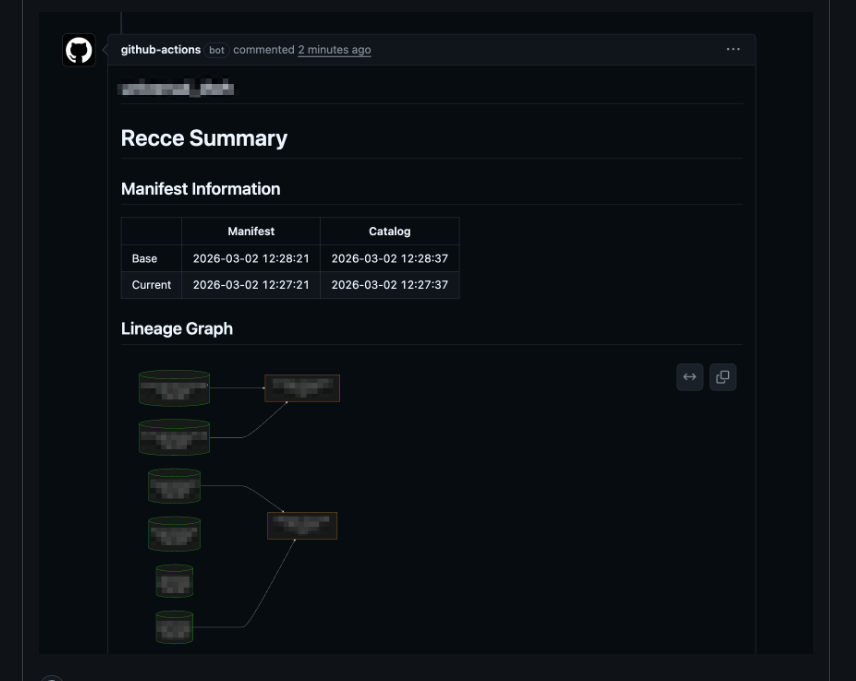
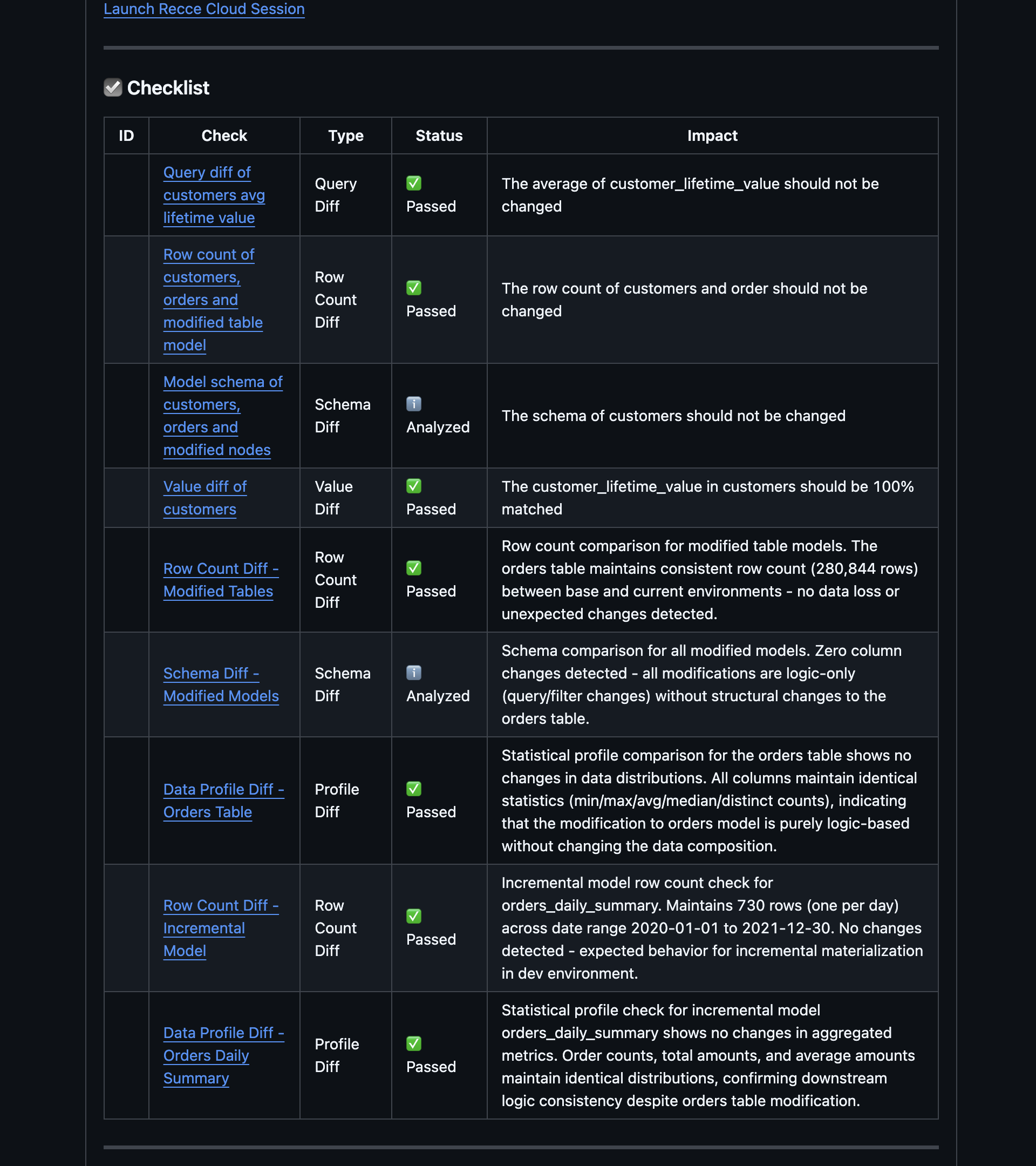
PR comment showing checklist with check status icons and linked run history

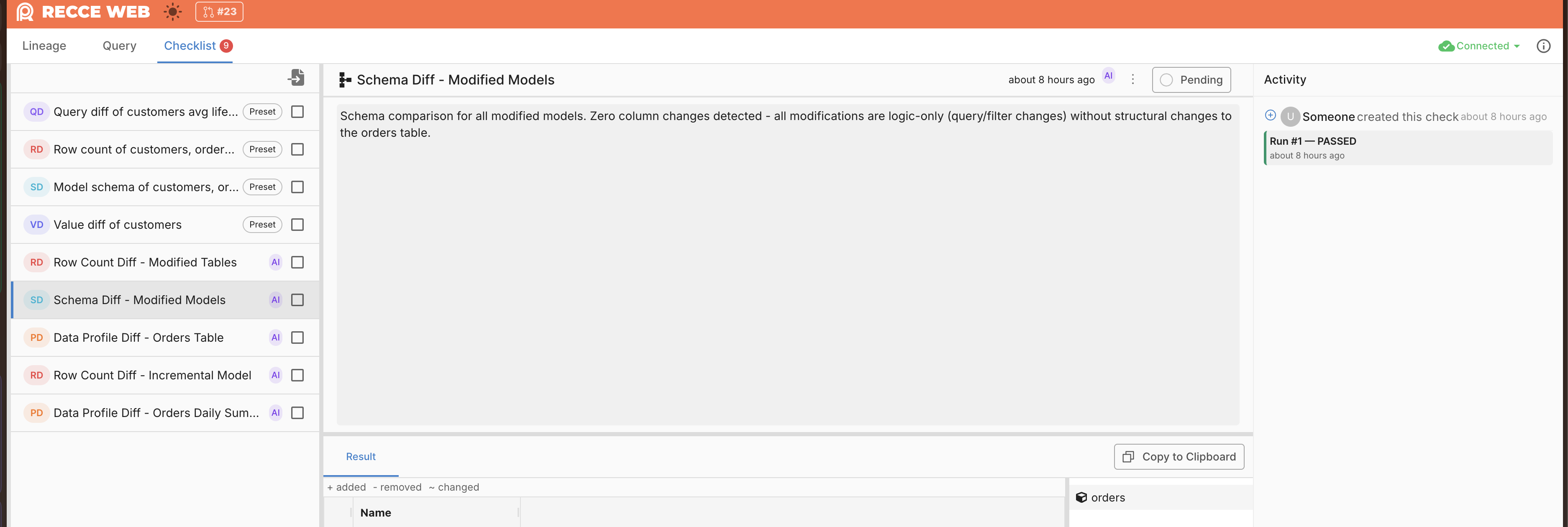
Recce Cloud checklist view with run history and activity panel

Recce Data Review results in PR comments previously had no per-check status or run attribution. Reviewers could not tell which checks passed or failed at a glance, or trace a result back to a specific run.

PR comments now show a structured checklist where each check displays its status — Passed, Failed, Analyzed, or Pending. Each item links to the full run history in Recce Cloud. The Activity panel tracks every run with attribution (user or AI), giving teams a complete audit trail across CI cycles.


Fewer False Positives in Recce Data Review

Recce Data Review sometimes flagged schema or lineage changes that had no actual data impact, creating noise for reviewers who then learned to ignore findings.

The analysis prompt now includes guardrails that filter out changes unlikely to affect data. Reviewers see fewer irrelevant findings, which keeps the signal-to-noise ratio high and maintains trust in Recce Data Review.


Faster CLI Startup

Running any recce command incurred a multi-second delay because the CLI loaded all dependencies at startup, even for simple operations like recce version.

Commands that do not require the full stack now start significantly faster, which reduces friction in scripted workflows and CI pipelines.


Lineage Viewport Fits Large Graphs on Load

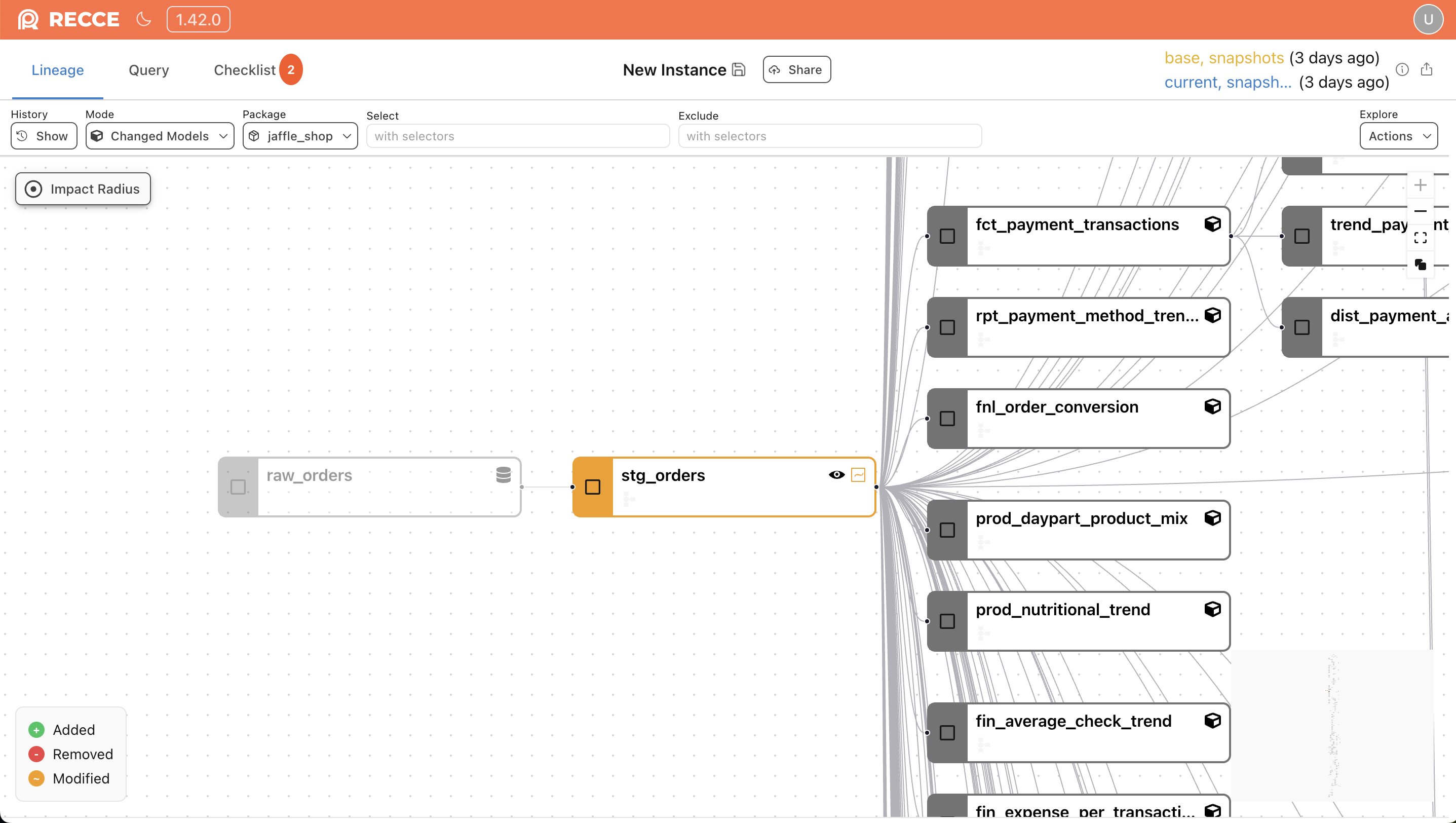
lineage diff view showing a large graph zoomed to readable level

Opening a lineage diff for a large project showed the entire graph at maximum zoom-out, making individual nodes too small to read. Users had to manually zoom and pan to find the relevant area.

The initial viewport now calculates a zoom level that keeps nodes legible while showing the most relevant portion of the graph. Large projects are readable on first load without manual adjustment.


Exports Go Beyond the Preview Limit

Exporting query results was capped at the 2,000-row preview limit, which truncated large datasets and forced workarounds.

Exports are no longer capped at the 2,000-row preview limit — CSV and TSV support up to 500K rows, and Excel up to 100K. Download buttons show the total row count, and large exports trigger a confirmation dialog before starting.


Python 3.9 Support Dropped

Recce no longer supports Python 3.9, which reached end-of-life in October 2025. If you are still on Python 3.9, upgrade to Python 3.10 or later before updating Recce.

Session Base, Persistent Agent Checks, and Outdated Check Indicators

Session Base with Dashboard Visibility

Comparing against production often introduces noise from environment-dependent patterns — SQL that resolves differently between prod and CI. Session base lets each PR build a dedicated comparison baseline using CI targets, so both base and current produce the same SQL and the diff reflects only the PR’s actual changes. Upload session base artifacts with GitHub or GitLab token authentication, and verify exactly which base each PR is comparing against in the Cloud Dashboard.


Approve or Unapprove Checks from GitHub and GitLab

Updating check status required opening Recce separately from your code review. The new /update-check slash command lets reviewers approve or unapprove checks directly from GitHub or GitLab PR comments, keeping the review workflow in one place.


Agent Creates Persistent Checks with Checklist Rendering

AI-generated checks previously disappeared after the session ended, making it hard to track what was validated. Agent-created checks are now persistent and render as checklists in the PR summary with clear attribution, so reviewers see exactly what the agent verified and can act on it.


Outdated Check Indicators

When the underlying data changes, existing checks can silently go stale. Visual outdated indicators now mark checks that may no longer reflect the current state, so reviewers know which checks need re-running before merging.


Impact Analysis Discovery and Preset Check Filtering

Finding which models are affected by a PR required manual lineage inspection. The Recce plugin now includes an impact analysis discovery tool that surfaces affected models automatically, available today for Claude Code and compatible MCP clients. Criteria-based preset check filtering and SessionImpact computation let you define rules that trigger the right checks for the right changes. Branch staleness warnings in PR summaries further help reviewers spot when a PR’s base has drifted.


Materialization Badge for Lineage Nodes

Model nodes in the lineage graph previously showed no materialization context. A new badge on each node now displays its materialization type (table, view, incremental, etc.), making it easier to understand performance implications at a glance.


Improvements

  • Fixed check links in PR comments that incorrectly used the /launch/ path
  • Updated recce mcp-server --help to list all 16 available tools
  • DataTypeIcon SVGs now scale with CSS font-size for consistent rendering
  • CLL performance improvement: skip Jinja compilation when compiled_code already exists
  • Pre-cached full CLL map via new full_map API parameter for faster lineage loads

Review PR Data Impact Directly from Your Editor with 8 New MCP Tools

Review PR Data Impact Directly from Your Editor

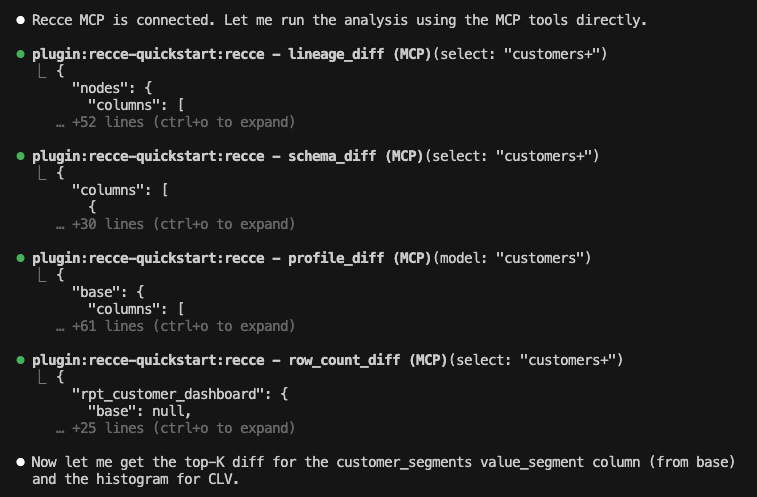
AI agent running value_diff and histogram_diff via MCP in an editor

Running data diffs meant switching between Recce and your editor, copying model names, and pasting results back. With eight new MCP tools, AI agents can now access every evidence-gathering feature directly.

The new tools include value_diff for row-level comparisons, top_k_diff for categorical distributions, histogram_diff for numeric distributions, and get_cll for column-level lineage. Combined with the existing tools, agents now have 16 MCP tools to review data impact without leaving your workflow.

See details here


AI Summary Without a Warehouse Connection

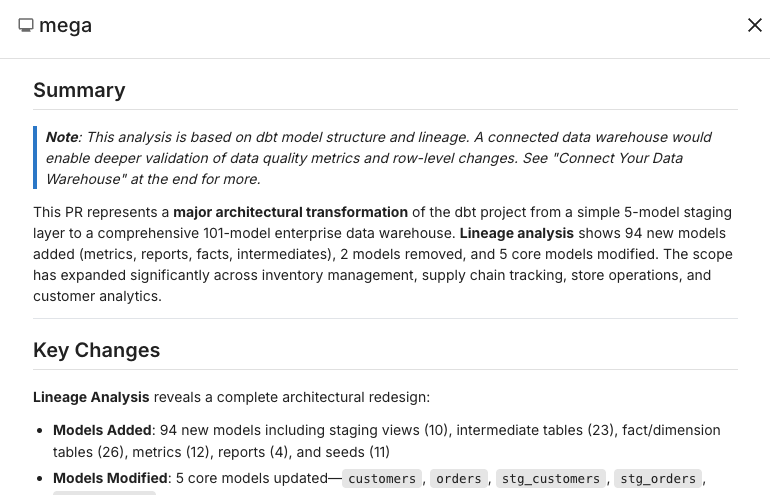
Agent generates summary results for a user without warehouse connection

Users without a connected warehouse could not get AI-generated summaries of their PR impact. The summary feature required live data access, which blocked adoption for teams still setting up their environment.

Recce now generates AI summaries based on available metadata even when no warehouse is connected. Teams evaluating Recce Cloud see value immediately, and the summary explains what additional insights a warehouse connection would unlock.


Agent Asks for Help When Stuck

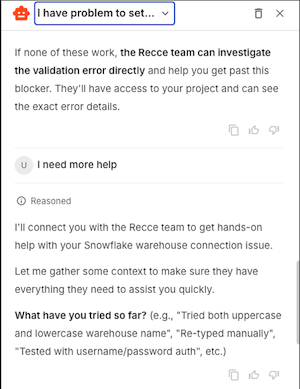
Agent detects it cannot make progress and offers to escalate

During onboarding, the web agent sometimes hit edge cases it could not resolve on its own. Users had no clear path to get help, and the team had no signal about which scenarios needed improvement.

The agent now detects when it cannot make progress and offers to escalate. Users get a direct path to support, and the team collects structured feedback on which onboarding scenarios need attention.


Python 3.9 Deprecation

Python 3.9 reached end-of-life in October 2025, and Recce will drop support in a future release. Upgrade to Python 3.10 or later to avoid interruptions.

Faster Reviews: Pre-Warmed Instances, Schema Change Badges, and Value Diff Sorting

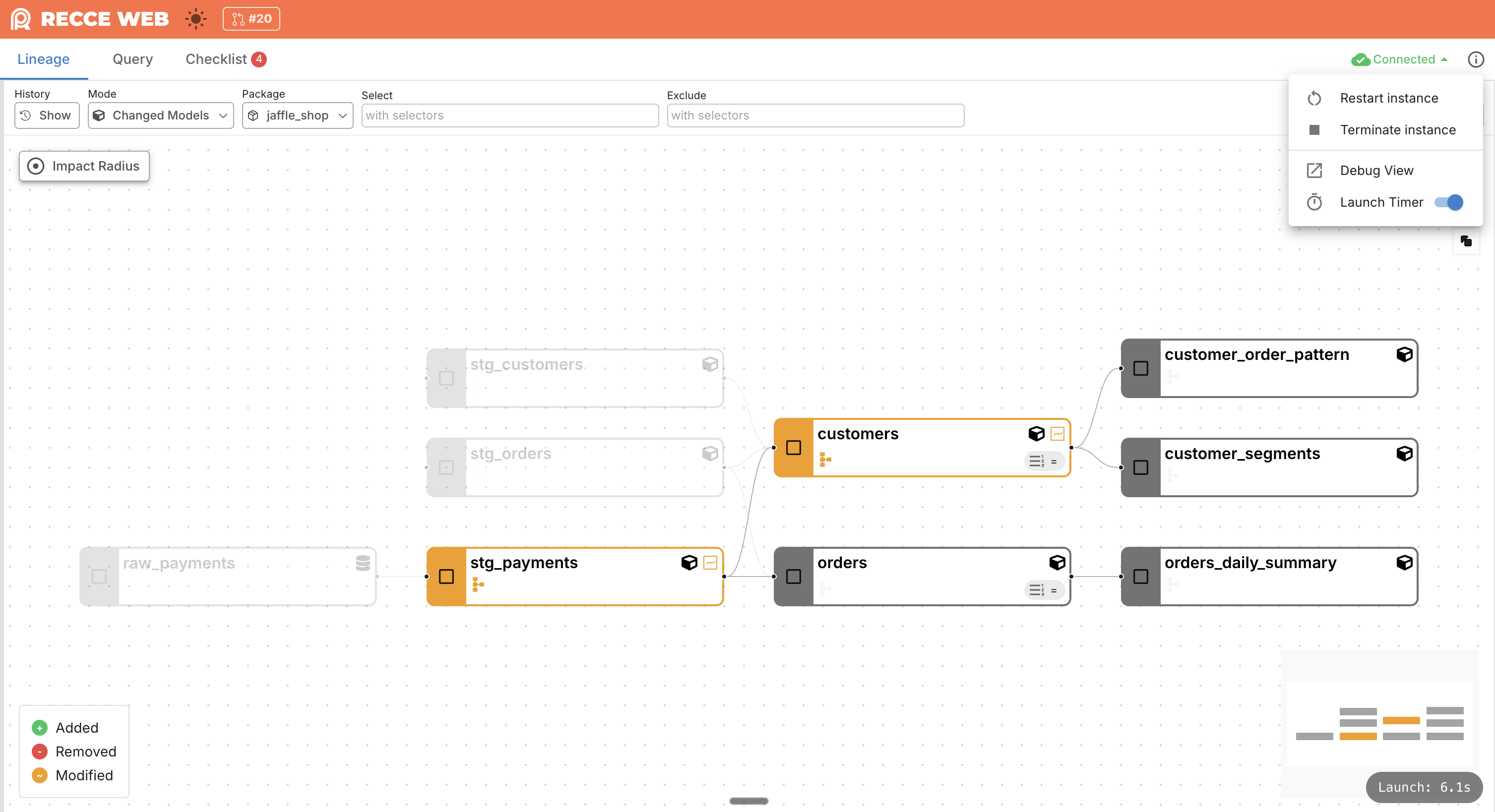
Recce Cloud Instances Launch in Seconds

Alt: Recce Cloud instance launching quickly from warm pool

Launching a Recce Cloud instance used to take 30 seconds or more. Every PR review started with a wait while a fresh container spun up.

Recce Cloud now draws instances from a pre-warmed container pool. Startup drops from 30 seconds to under 7 seconds. The pool stays warm so the next launch is just as fast. Available on the Enterprise plan.


MCP Server: Stable Setup with Clear Error Messages

The Recce MCP server crashed without a useful error when base artifacts were missing. Users had to dig through logs to find what went wrong. The --help text did not mention prerequisites.

The MCP server now classifies errors and tells you exactly what is missing. A new single-env onboarding mode works without a full two-environment setup. The --help output documents prerequisites so AI agents and users know what Recce MCP needs before starting.


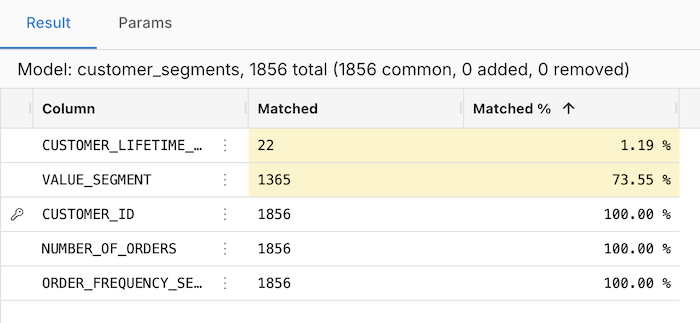
Sort Value Diff Columns by Match Percentage

Alt: Value Diff sorted by Matched % with lowest matches at top

Value Diff showed columns in their original order. Finding the columns with the biggest differences meant scanning every row and comparing percentages manually.

Columns now sort by Matched % by default, with the lowest match at the top. Click any column header to change the sort order. The columns that need attention surface immediately.


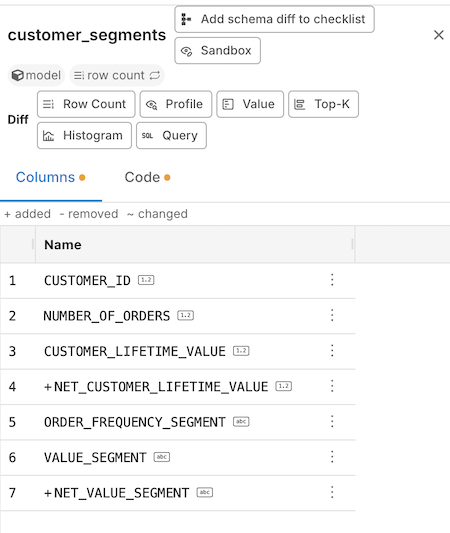
See Which Columns Changed at the SQL Level in Schema View

Alt: Schema View showing ~/+/- badges and definition-changed indicator

Schema View showed added and removed columns, but columns with modified SQL definitions looked the same as unchanged ones. You had to open the code to check whether a column’s logic actually changed.

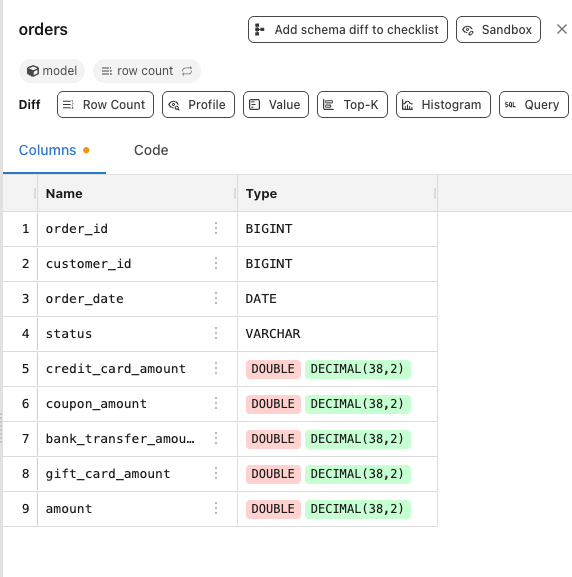
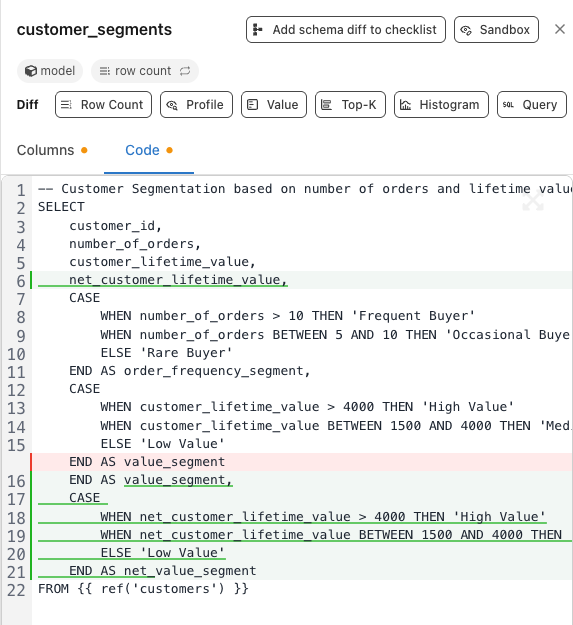
Schema View now marks columns with ~ (modified), + (added), and - (removed) badges. Columns where the underlying SQL changed show a definition-changed badge. You can spot logic changes without leaving the schema.


Column Lineage Resolves Recursive CTEs

Recursive CTEs — common in models that traverse hierarchies or generate sequences — showed “unknown” in column lineage. The self-referential nature of these CTEs broke lineage tracing.

Column lineage now follows recursive CTE references through each iteration. Models that use WITH RECURSIVE display correct lineage paths instead of dead ends.


Bug Fixes

Lineage view stays focused during row count. Running a row count from NodeView no longer resets the zoom and pan position.

Result pane appears in the correct position. The result pane no longer jumps to the top of the page.

Source nodes display their schema. Source nodes with columns in the catalog now show those columns instead of an empty panel.

AI-Assisted Onboarding and Diff UX Improvements

AI-Assisted Onboarding

Alt: onboarding panel with AI agent suggestions for CI/CD configuration

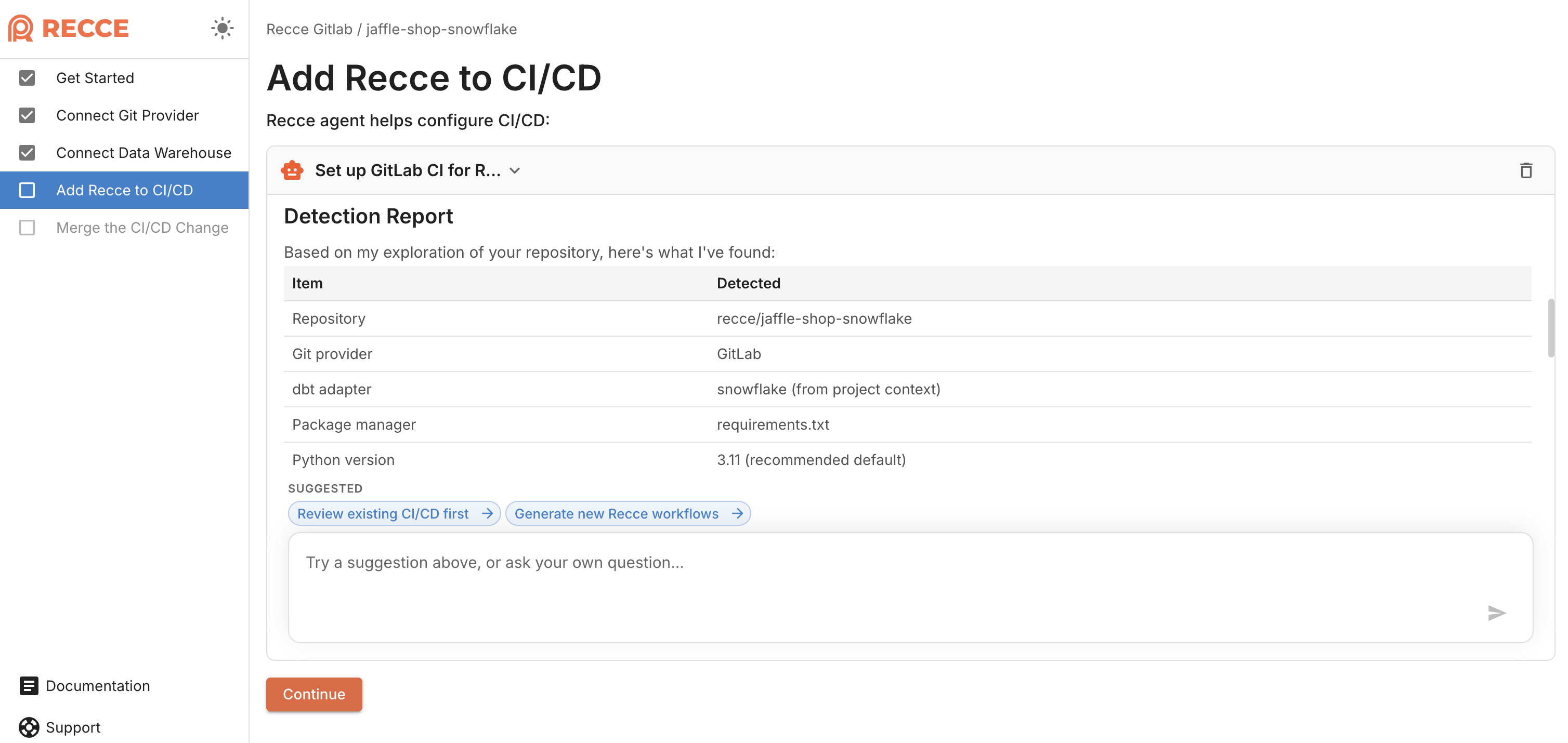
Setting up Recce involves connecting git, configuring your data warehouse, and adding Recce to CI/CD. The first two steps are straightforward with UI guidance. CI/CD setup is where it gets complex—every team has different pipelines, platforms, and configurations.

Recce onboarding now includes an AI assistant that handles the hardest part. When you reach CI/CD setup, the agent generates workflow configurations for your specific setup—GitHub Actions, GitLab CI, or other platforms. Describe your pipeline and the agent produces the YAML you need.


See Changes and Impact at a Glance

Finding what changed in large diffs required scanning through every line. Click the model to view all columns without highlighting changes. Value distributions lacked context for quick comparison.

Recce now makes changes and their impact immediately visible:

  • Schema change indicators — Visual badges mark columns as added, removed, or modified Alt: diff view showing schema indicators
  • Collapsible unchanged regions — Unchanged code collapses automatically so you focus on what matters Alt: diff view showing collapsed unchanged regions
  • TopK inline labels — Distribution bars display numeric values inline for quick comparison Alt: diff view showing TopK inline labels

Customize Lineage Graph Node Shapes

Alt: Mermaid lineage graph with different node shapes for models, sources, and seeds

Lineage graphs used the same node shape for all resource types. Distinguishing between models, sources, and seeds required reading labels.

You can now configure custom node shapes in Mermaid lineage exports. Different shapes for different resource types make the graph easier to scan. Thanks to Daisuke Taniwaki for this community contribution (PR#1137).


See Instance Status on Your Project Page

Alt: project page with instance status indicators showing running, stopped, and error states

Opening a project meant waiting without knowing if the instance was already running or needed a cold start. There was no way to anticipate the wait time before clicking in.

The project page now shows instance status indicators. Know whether an instance is already running or requires a cold start before you click in.


Export Query Results and Unified Account Login

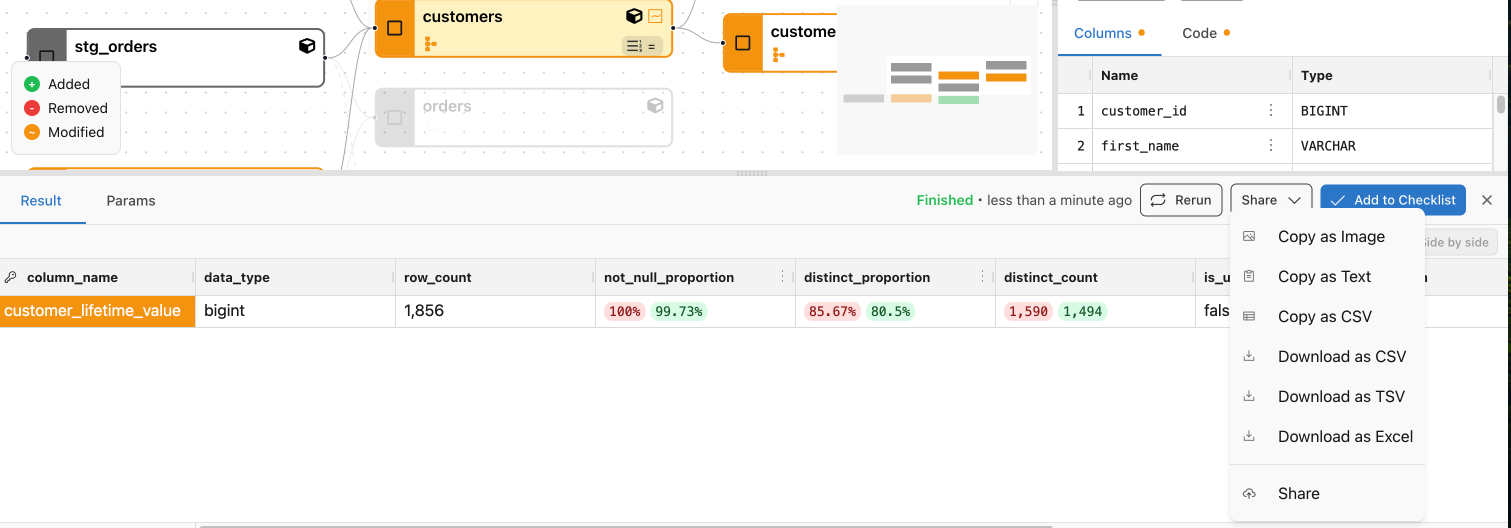
Export Query Results to Excel and TSV

Alt: dropdown menu showing Copy as TSV, Download Excel, and Download TSV options

Copying data diff results for analysis outside Recce required manual formatting. You had to copy raw data and reformat it in your spreadsheet tool.

Recce now offers three export options for data diff results: copy as TSV to clipboard, download as Excel, or download as TSV file. Select your preferred format from the export menu and paste or open directly in your spreadsheet tool.


One Account for GitHub and Email Login

Users who signed up with both GitHub and email had two separate Recce Cloud accounts. Switching between them meant losing access to projects tied to the other account.

Recce Cloud now merges accounts that share the same email address. The next time you log in with GitHub, your GitHub and email accounts automatically combine into one. All your projects and settings remain accessible.

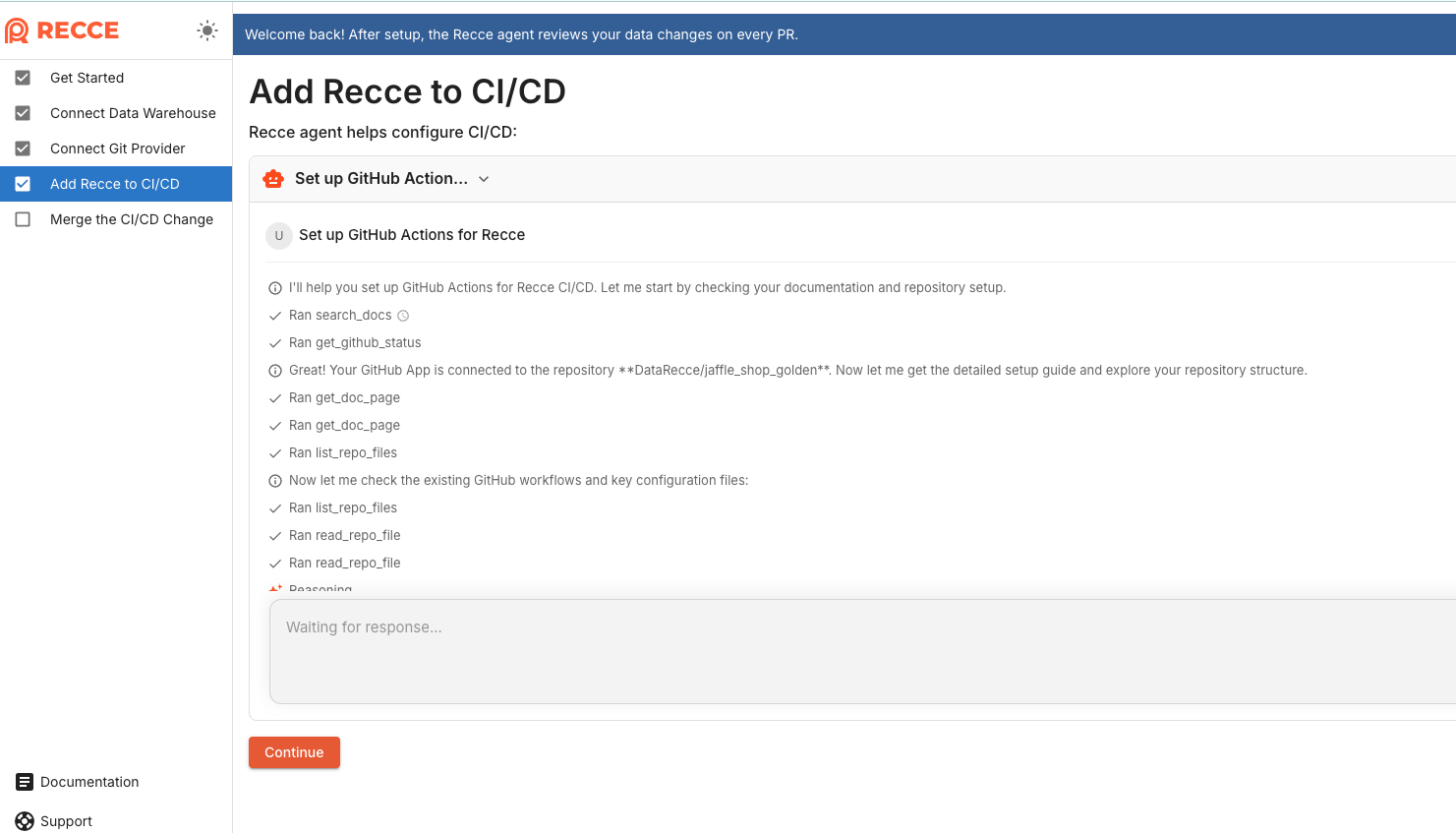
Web Agent Configures Your PR Data Review

Web Agent Configures Your PR Data Review

Web Agent analyzing GitHub Actions workflow

Setting up Recce means configuring CI/CD to trigger data review on every PR. Every team’s CI/CD setup is different—custom runners, matrix builds, environment variables—and getting Recce to fit takes trial and error.

The new Web Agent reads your existing workflow files and generates the right configuration for you. Connect git, let the agent handle CI/CD, link your data warehouse. Three steps to automated data review on every PR.

GitHub Actions supported today, with more CI platforms coming.

Try it at cloud.reccehq.com/onboarding/get-started

Lineage Diff Captures Your Exact View, Incremental Model Awareness

This release makes Lineage Diff capture exactly what you see, plus early access to AI-assisted setup.

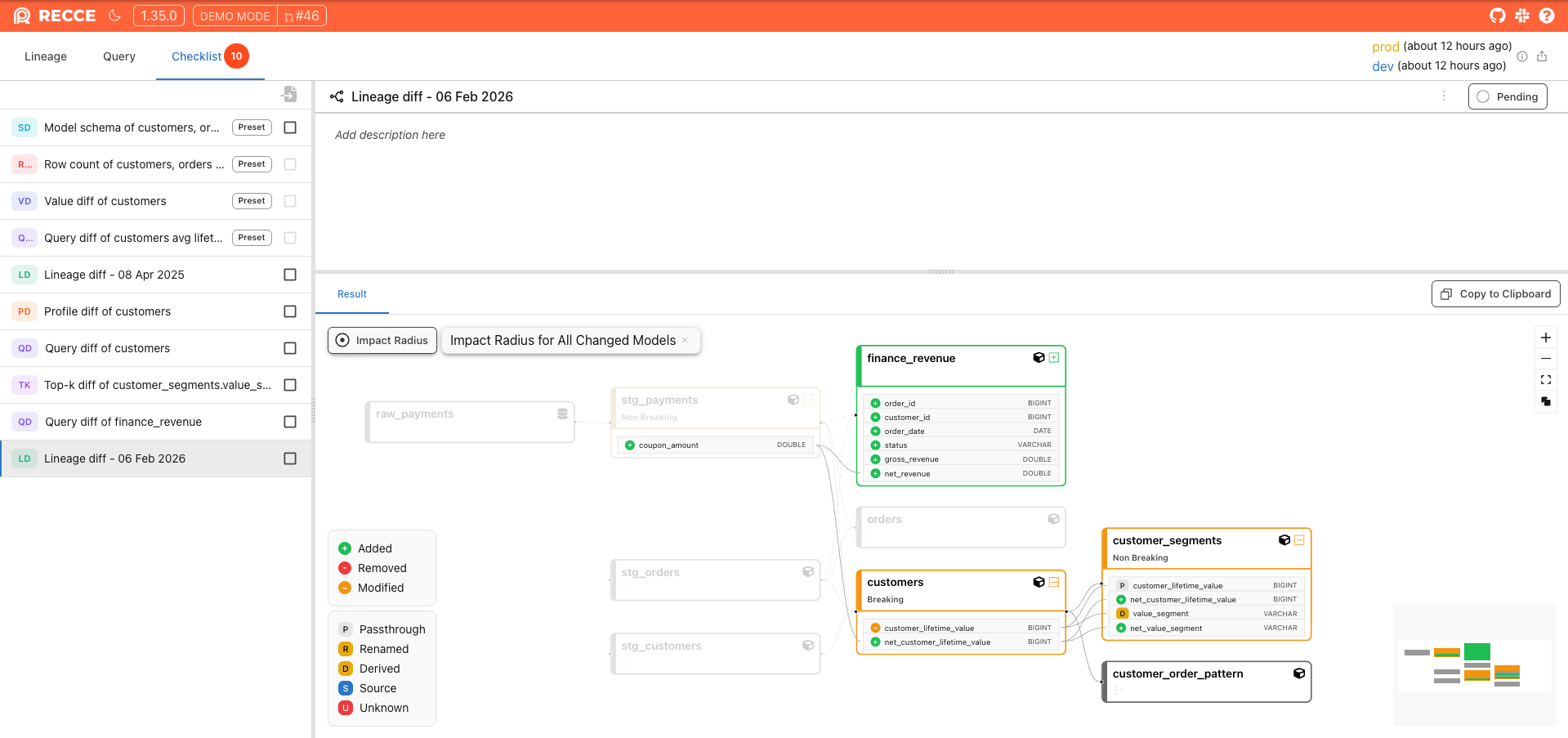
Lineage Diff: Add Exactly What You See

Adding Lineage Diff checks is simpler. When viewing your lineage filtered by selectors, with Column-Level Lineage or Impact Radius applied, you can add that exact view to your checklist with one click.

Now what you see is what you add. Your current lineage view settings carry through to the check.

Add to check with Impact Radius is applied

Incremental Model Awareness in Impact Analysis

Recce Cloud now recognizes incremental models and reflects this in impact analysis. When you modify a model with incremental logic, the data review shows accurate scope.

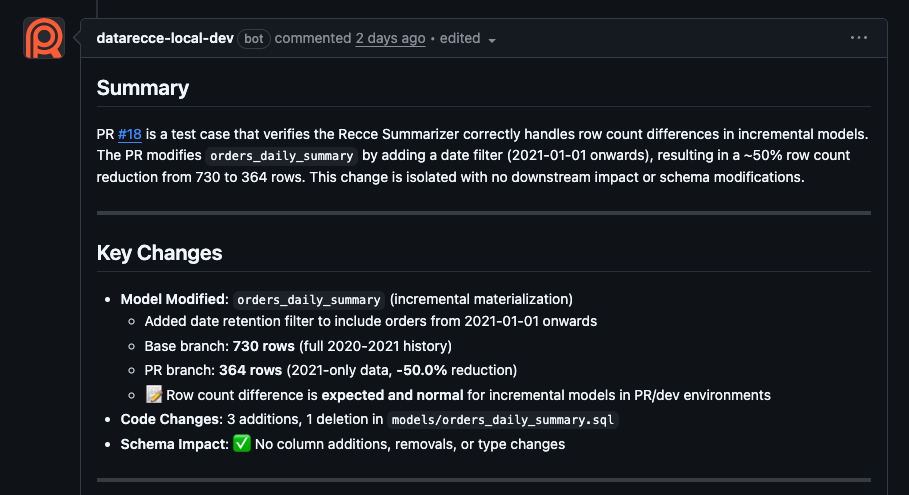
Example: A PR that adds a date filter to orders_daily_summary correctly shows the row count change from 730 to 364 rows, with clear indication that the change is isolated with no downstream impact

Isolate problem when base and current data are discrepancies

Experimental: Recce Plugin for Claude Code

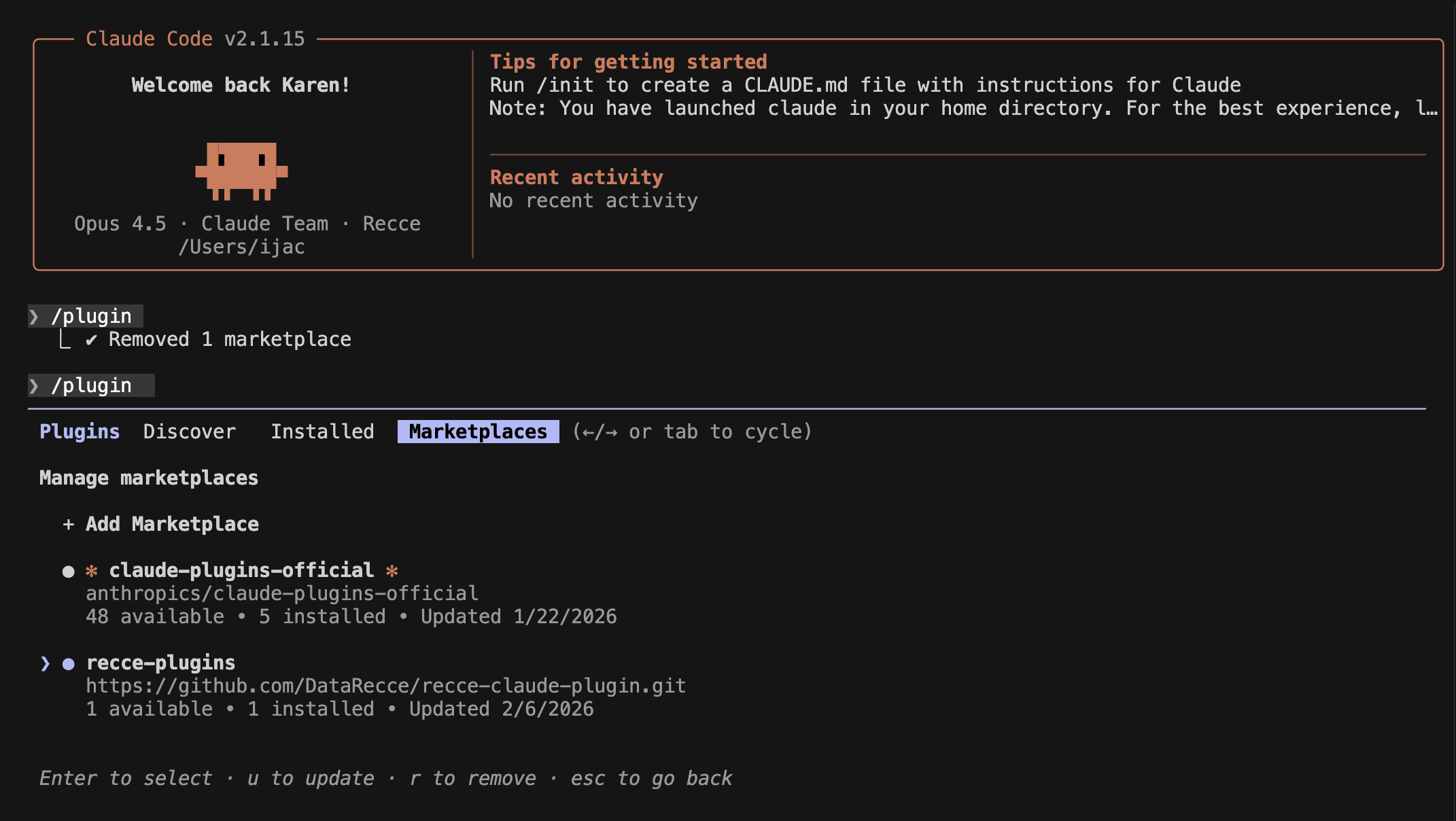
We’re exploring AI-assisted onboarding for Recce Cloud. Set up CI/CD configuration by chatting with Claude.

Note: This is experimental. The onboarding flow is incomplete (Data Warehouse and Git setup not yet supported). We’re sharing early to signal our direction and gather feedback.

Interested? Install https://github.com/DataRecce/recce-claude-plugin

Screenshot 2026-02-06 at 3.11.20 PM